Every Way Your Board Talks to Owners, Now in One Place
Key Takeaways:
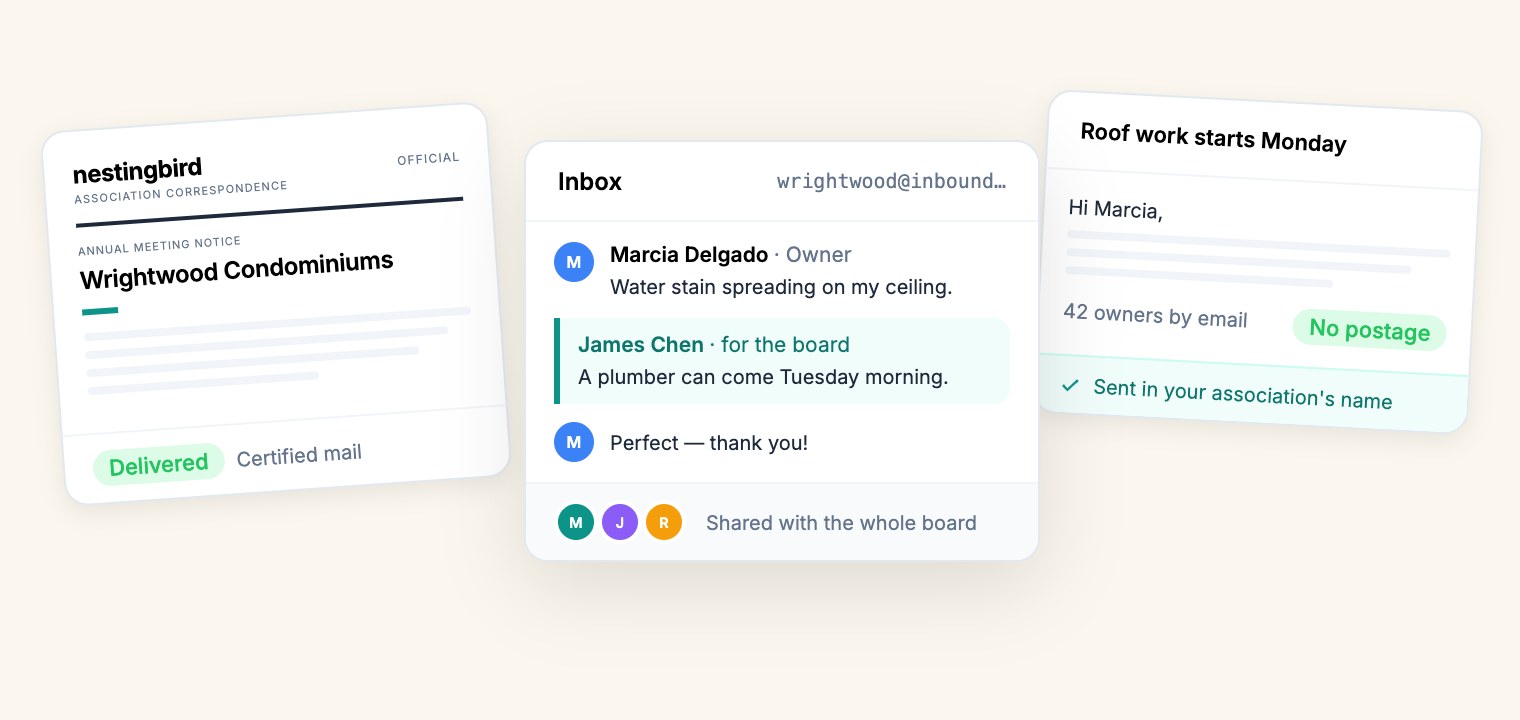
- Every association now has its own email address. Everything sent to it lands in one Inbox the whole board can see, and it’s forwarded to each board member too.
- Boards can email all owners, just the board, or specific people, sent in the association’s name with replies coming back to the board. There’s no postage, and a monthly email allowance is included on every plan.
- Official notices go by email to owners who’ve agreed to electronic delivery and by mail to everyone else: one notice, one record.
- Physical mail (standard or certified, tracked to delivery) sits in the same place, so the Inbox is now every way your board talks to owners, and every way they talk back.
Board communication tends to live in the treasurer’s personal inbox. An owner emails whoever they happen to know on the board, a vendor sends an invoice to someone who left the board last spring, and when it’s time to send a meeting notice, someone exports a spreadsheet of addresses and hopes it’s current.
We’ve spent the last few months fixing that. As of today, the Inbox in Nestingbird handles all three directions: mail coming in, email going out, and letters going out on paper.
One Address for the Association
Every association on Nestingbird has its own email address, and you can pick a custom one in Settings that owners will remember. Put it on your notices, your website, and the lobby board.
Whatever arrives there — an owner reporting a leak, a vendor’s invoice, a letter from the city — is saved in the Inbox, where every board member can read it, attachments included. It’s also forwarded to each board member’s own email, so nothing waits for someone to log in.
The part I care about most is what happens when the board changes. The address stays the same and so does the history. A new treasurer doesn’t inherit a gap where the last person’s inbox used to be.
When you reply from Nestingbird, the owner’s answer threads back into the same conversation, so the whole board sees how it was handled, not just the person who answered.
Email Every Owner, in Your Association’s Name
From the Inbox, Send email opens a composer that works like you’d expect: write a subject and a message, pick who it goes to (all owners, just the board, or specific people), and preview exactly what lands in an owner’s inbox.
It goes out in your association’s name, with replies coming back to your board’s address. Each owner is greeted by name. There’s no postage, and every plan includes a monthly allowance: 100 emails plus 4 per unit on the free plan, and ten times that on Autopilot.
Owners can unsubscribe from association email. When they do, the board can see exactly who, on the members list and in the composer before you send, so you can reach them another way. Addresses that bounce are flagged the same way.
Official Notices, by Email or by Mail
Some notices have to reach every owner: annual meetings, budget approvals, elections. Email is cheaper and faster, but only for owners who’ve agreed to receive notices electronically.
An official notice handles that for you. Write it once, and Nestingbird emails it to every owner who has signed an e-delivery consent and mails a printed copy to everyone else. If a notice email bounces, a paper copy goes out automatically. It’s one notice and one record, and the composer shows the split before you send: how many owners get it by email and how many by mail.
Letters, Printed and Mailed
Physical mail was already here, and now it lives alongside the rest. Compose a letter on your association’s letterhead or upload a finished PDF, and Nestingbird verifies each address, prints it, and mails it — standard or certified, with an optional return receipt. Every piece is tracked from submitted to delivered.
Letters start at $1.66 a piece on the free plan, and Autopilot includes 200 standard letters a month.
Where to Find It
Open Inbox in Nestingbird. Send email and Send by mail sit next to each other at the top, and everything you send or receive shows up in one list, filterable by sent mail, sent email, and received email.
If you haven’t set a custom address yet, that’s the place to start: Settings, then Custom Board Inbox Email. Then tell your owners where to write.
If you run into anything, write to us at support@nestingbird.co. It comes straight to me.
— Nathan
Founder, Nestingbird