Your books, on autopilot.
Plaid syncs your bank. AI categorizes transactions. Income, expenses, balance sheet, and tax returns generate themselves. No data entry. No QuickBooks license.
How it works
From bank transaction to tax return.
Connect once. Nestingbird does the bookkeeping forever.
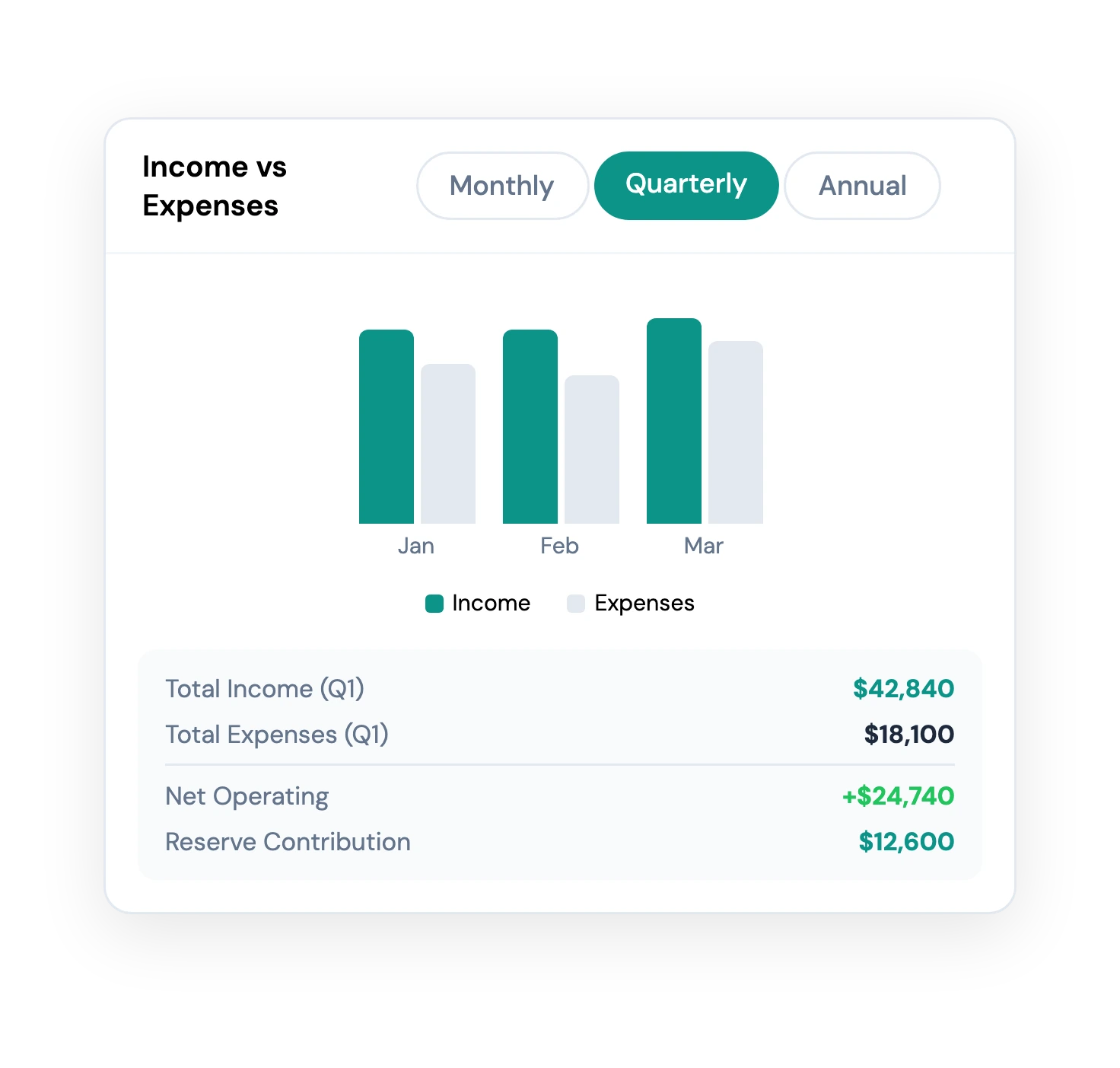
See income vs. expenses, every month
Every transaction from your operating account, categorized and visualized. See exactly where the money came from and where it went — without a bookkeeper.
- Plaid bank sync
- Monthly cashflow view
- Trend lines & comparisons
- Owner-visible report toggle
Break expenses down by category
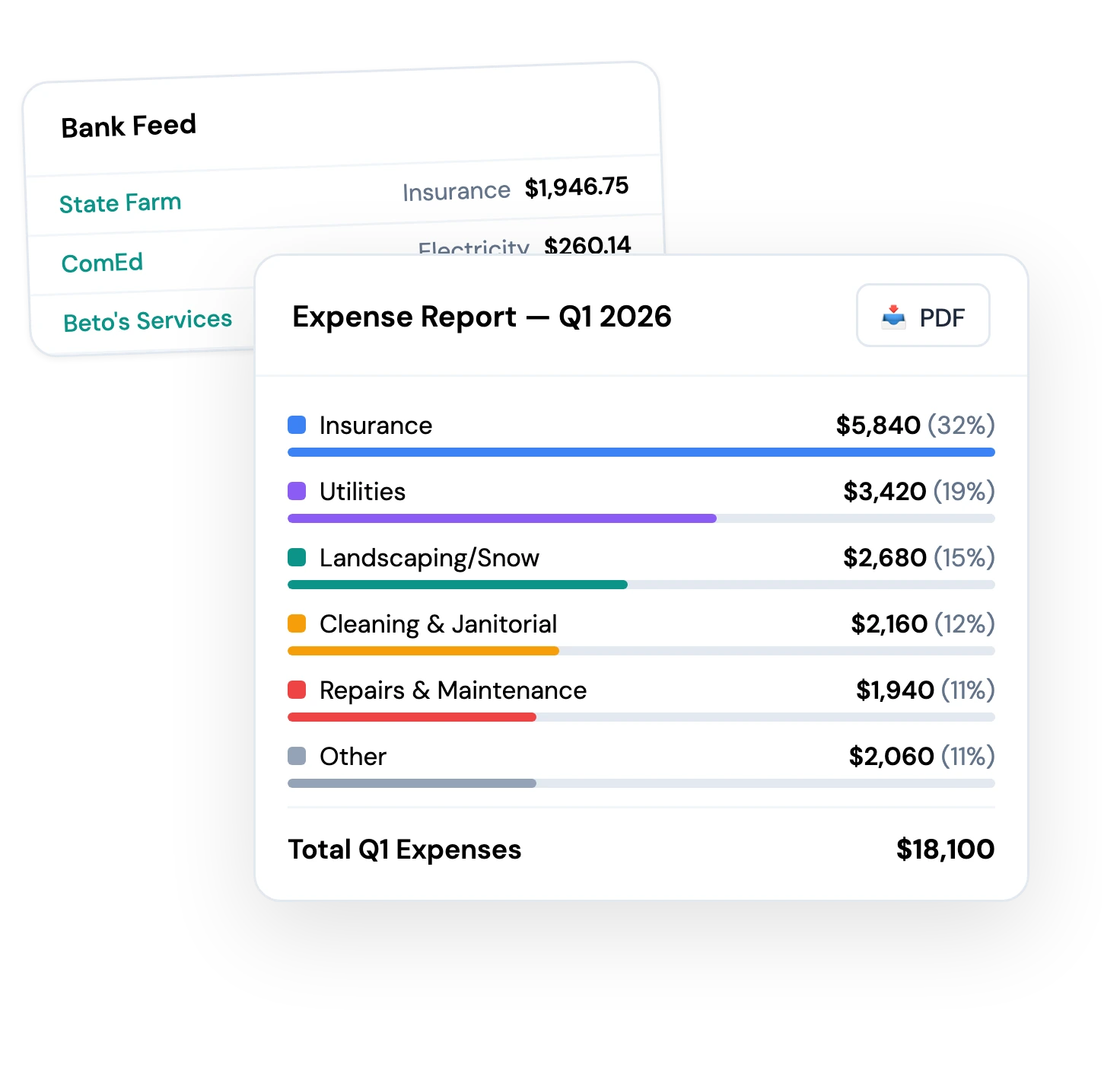
AI categorizes every transaction. See spend by maintenance, utilities, insurance, professional fees. Drill into any category and find the line items.
- AI category detection
- Drill-down to transactions
- Spend-trend alerts
- Custom category support
Generate tax filings
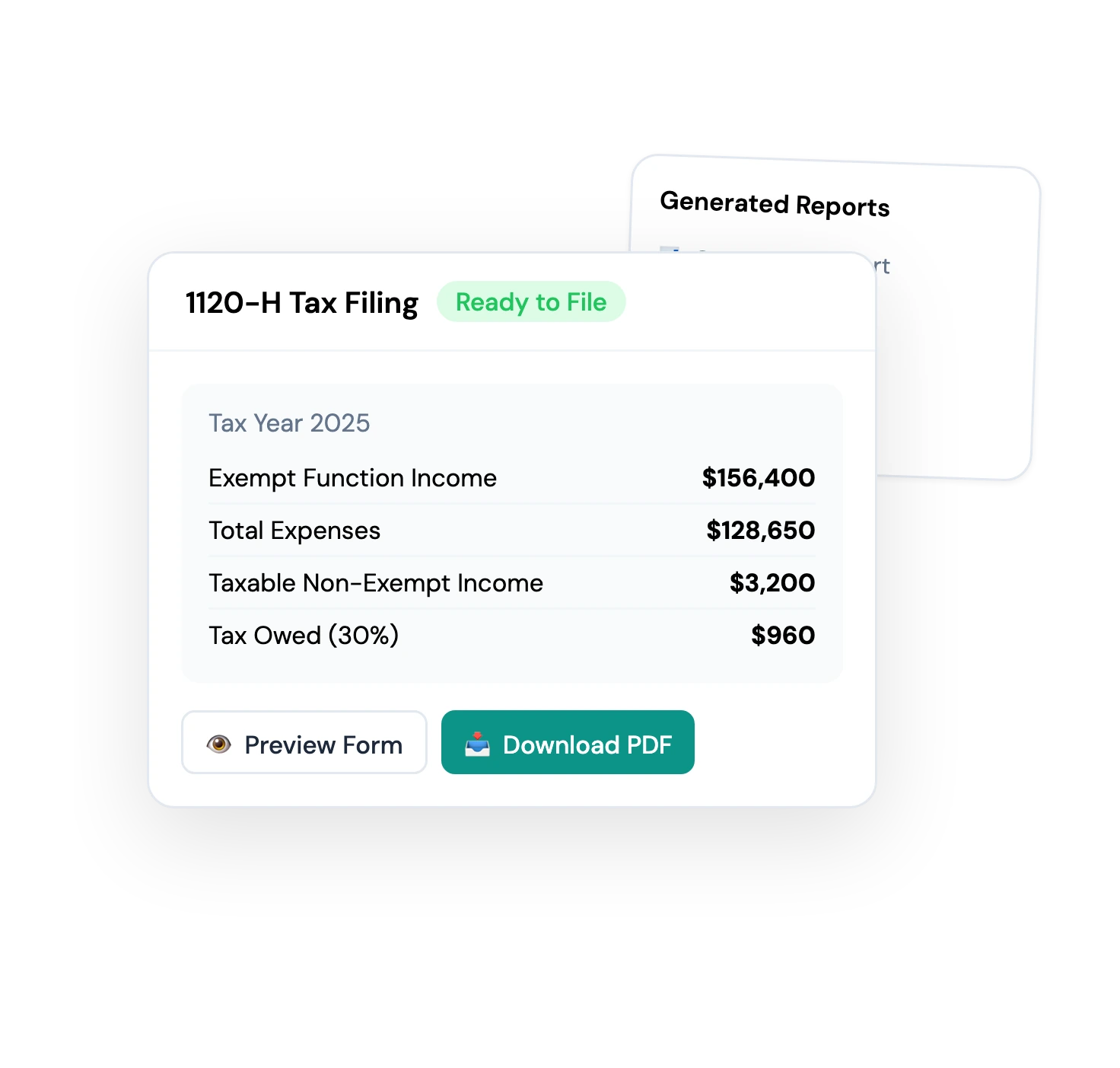
Form 1120-H, state filings, the whole stack — generated from your real-time books. Hand to your accountant or e-file directly.
- Form 1120-H generator
- State filings
- Accountant export
- Audit-ready trails
Send owners a statement that reconciles
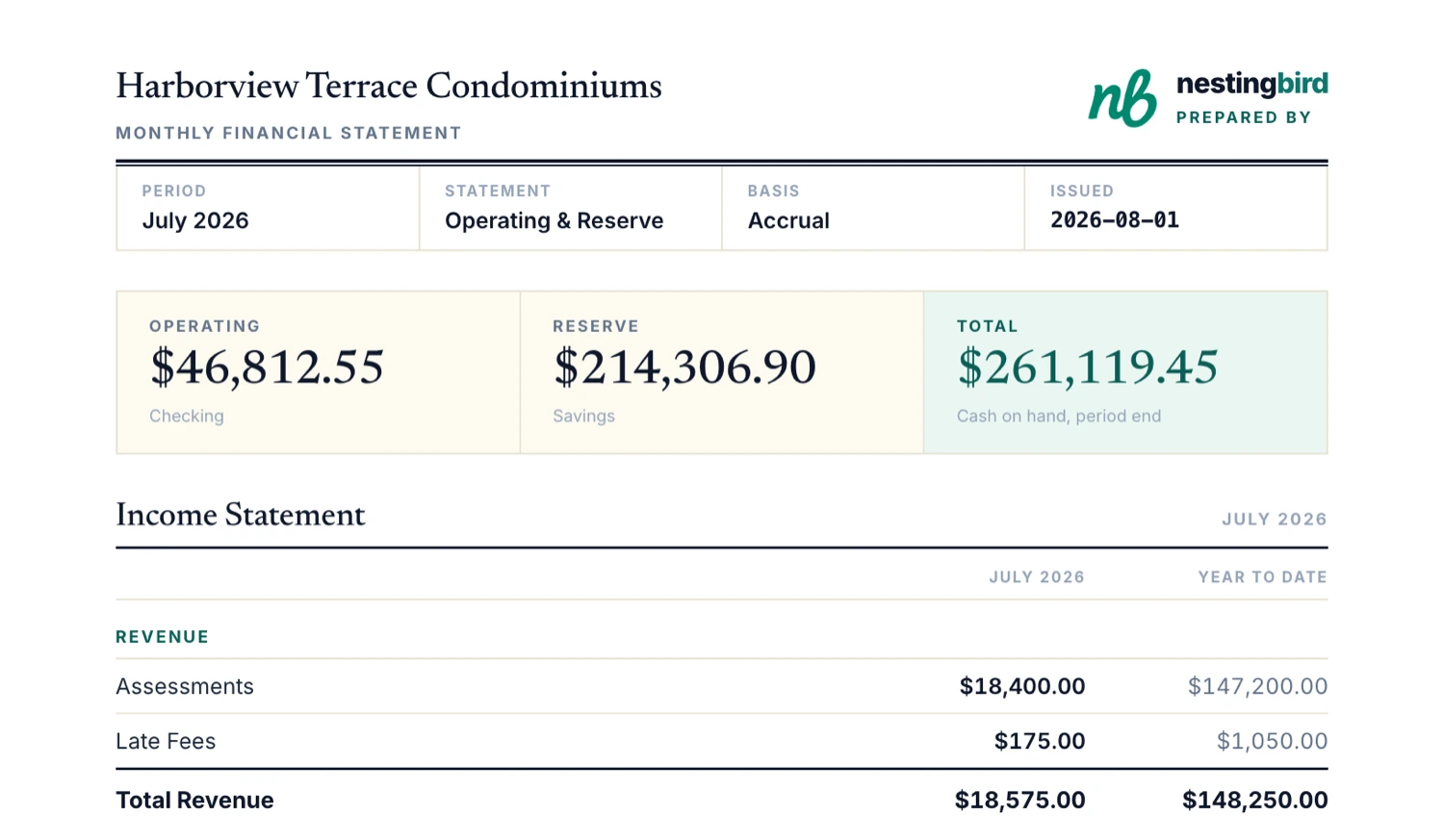
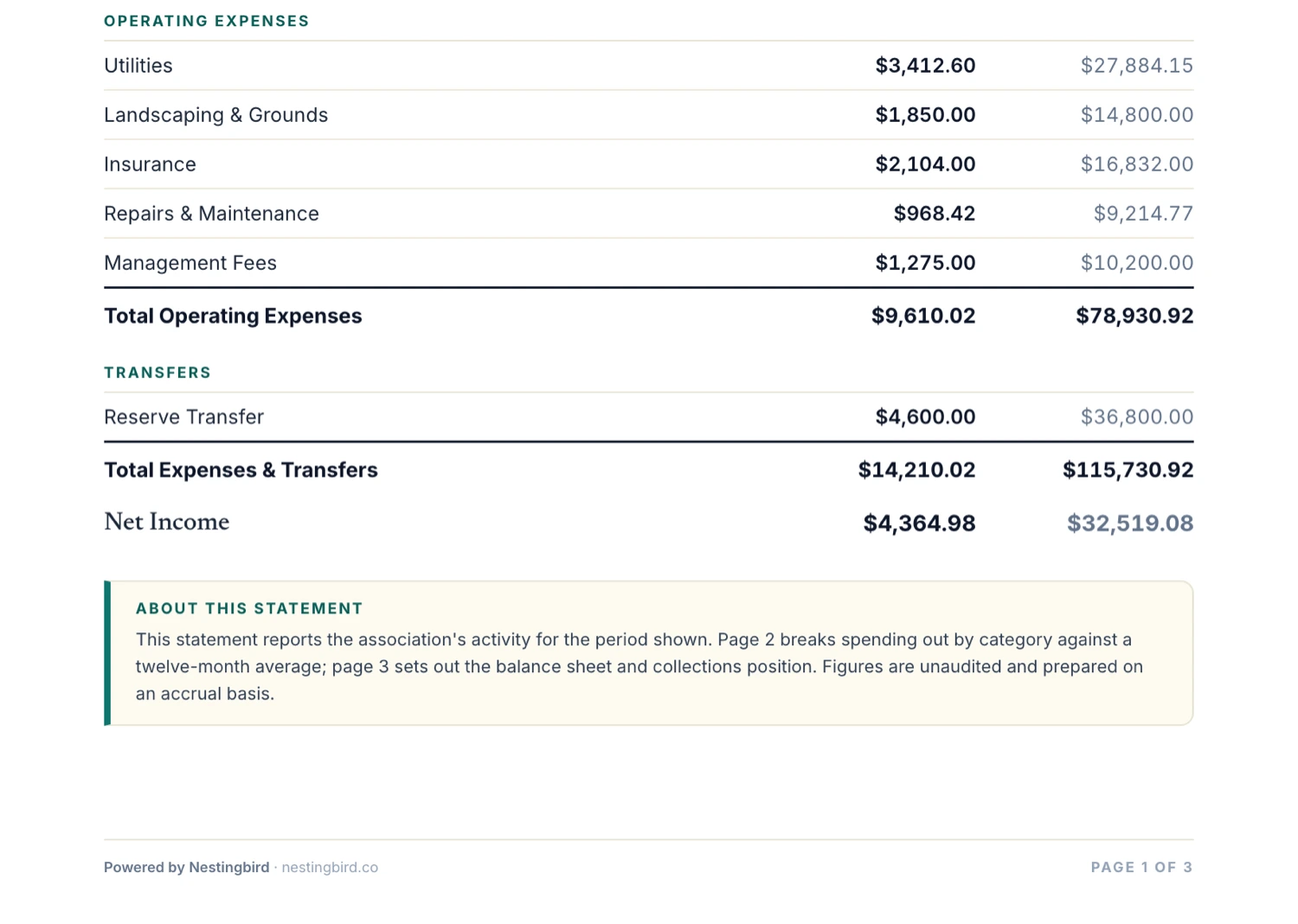
One PDF a month: cash on hand, the income statement, spending against a twelve-month average, and the balance sheet. Every total traces back to rows an owner can point at — so the statement you publish is the one that ties out to the bank.
- Operating & reserve balances
- Income statement with YTD
- Twelve-month category averages
- Balance sheet & collections
What it replaces
What you get
A real accounting stack — without the accounting stack.
Replaces QuickBooks for the 95% of HOA bookkeeping that doesn't need it.
Plaid Bank Sync
Every transaction from your operating and reserve accounts, in real time.
AI Transaction Categorization
Categories learned from your historical activity. Corrections train the model.
Income vs. Expense Reports
Monthly, quarterly, annual — with prior-period and budget comparisons.
Balance Sheet Generation
Real-time balance sheet, generated from your books. Always current.
Tax Filing Exports
1120-H, state filings, and accountant-ready exports — by the click.
Statements That Add Up
Every figure in a total has a row you can point at. Transfers between your own accounts don't show up as income. Uncategorized spend gets named instead of hiding in a subtotal. The statement your owners receive is the statement that reconciles.
CSV Import — No Bank Required
Upload a CSV with date, description, amount, and account — checking and savings in one file. Duplicate detection and honest partial-import reporting keep your ledger accurate, even without connecting a bank.
Income Statement
The monthly P&L your treasurer reads into the minutes and your CPA asks for at year end.
Aged Receivables
Every unit with a balance, bucketed current / 1–30 / 31–60 / 61–90 / 90+, with your trailing-twelve-month collection rate.
General Ledger & Trial Balance
Every transaction for the year under the account it posted to, and the balances that prove the books balance. Standard starting point for an audit.
The rest of the platform
One feature down. Here's the rest.
From the blog
More on running your building
How to Build a Reserve Fund When Your HOA Has Never Had One
You don't need a professional reserve study to start saving. How to go from zero reserves to fully funded repairs without a single special assessment.
FinanceWhat Nobody Tells You About Special Assessments
The real cost of a special assessment isn't the dollar amount — it's the months of effort, the awkward conversations, and the erosion of trust.
OperationsDoes Your Small HOA Actually Need a Management Company?
An honest look at where management companies earn their fee, where they don't, and how to figure out which side of that line your building falls on.
Stop managing your building from scattered spreadsheets.
15 minutes to set up. The free plan stays free. Or get your free Building Health Score first.